Simulate your CLICK PLC without the hardware
Tour 1 of 6
The panel isn't wired yet, or the machine is two hours away. Run the saved program on your laptop instead.
Click Simulate. ClickNick draws your CPU and modules from System Configuration, with a switch on every input, an LED on every output and a box on every analog channel. Flip the CPU to RUN and work the switches.
- Right-click a point to force it, or double-click an output to force it the other way from what it shows. It shows a padlock and stays forced until you click the padlock or double-click it again.
- STEP advances one scan at a time. RUN runs in real time, or faster.
- It answers Modbus at
127.0.0.1:502, like the real PLC. The Data View Editor connects to it with a Force column, and so can an HMI. - Start from the machine's state. In CLICK, choose PLC > Read Data from PLC... > All > Save, then load that file with PLC Data in the simulator. More.
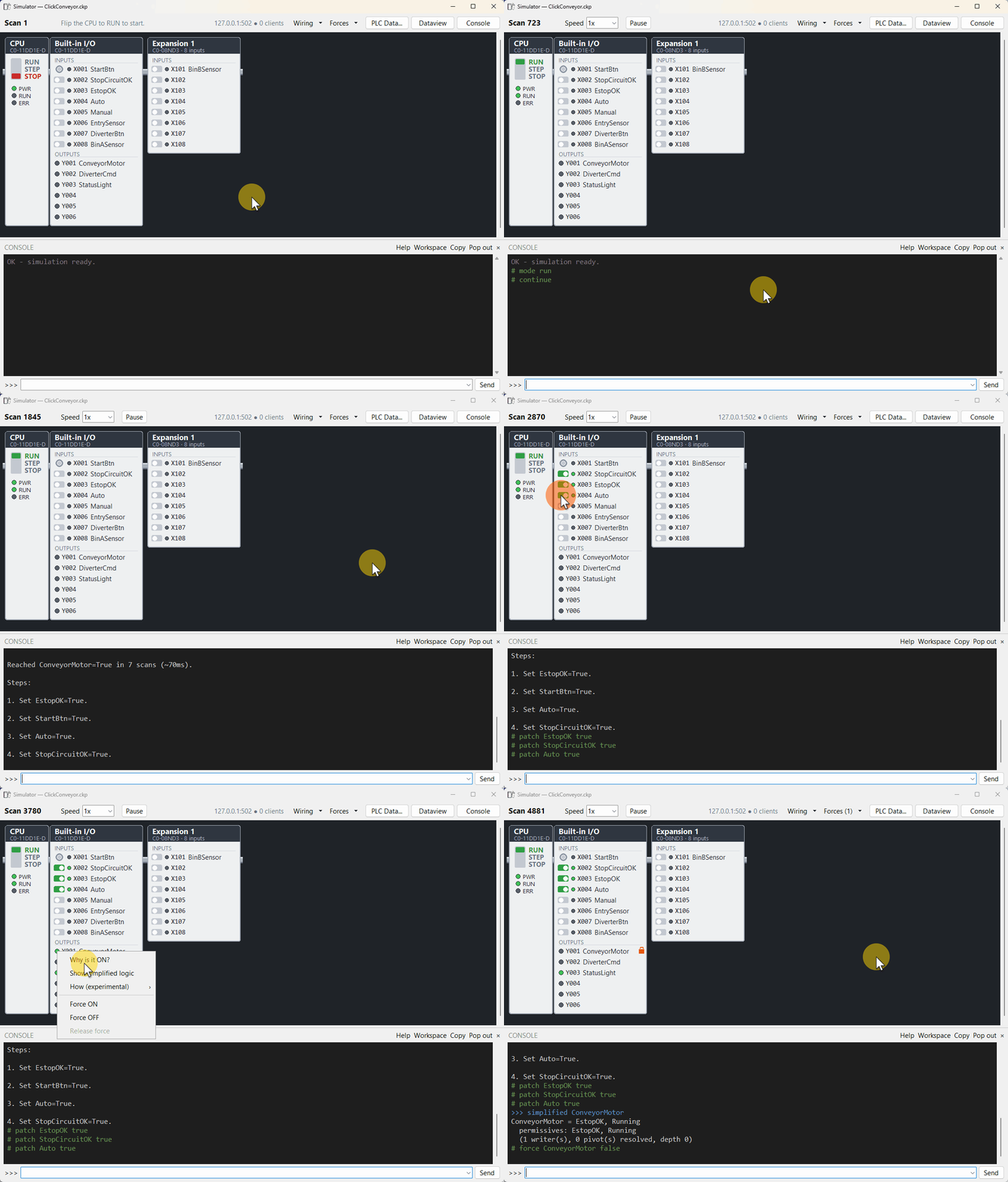
Open Simulate and use the Console pane at the bottom to question the program. Start with why: it traces what's holding a tag on, off, or blocked, which is usually the first troubleshooting question anyway.
how is the experimental one. It searches for a way to reach a state you name. When it finds one, it lists the inputs to set, step by step, with what changed after each. On real programs it sometimes stops without an answer, and it can take a few minutes. More on the Console.
The Simulator, its Console, the Data View Editor and AI agents all drive the same simulated PLC. Nothing you do here touches the machine.
This is a model of the program, not the PLC. It knows only the wiring and sensor timing your tag comments declare or you add with bench links, nothing of network behavior, and analog values are whatever you feed it. Interrupts, PID, and high-speed instructions are not yet supported. What it tells you about the ladder is real. Confirm it on the machine.